Re-Run From a Specific Step in Lab

Working on a lengthy test case in Lab? We know it can get tiresome. With Sofy’s new re-run from a specific step capability, you can quickly fix issues and continue execution from the desired step onwards — helping you validate faster and smarter.
How It Works
- Execute a Draft Test Case in Lab (This ensures a first-brush pass to confirm all pre-requisite steps are handled as per the recording).
- Identify the Step That Needs to Be Re-Run
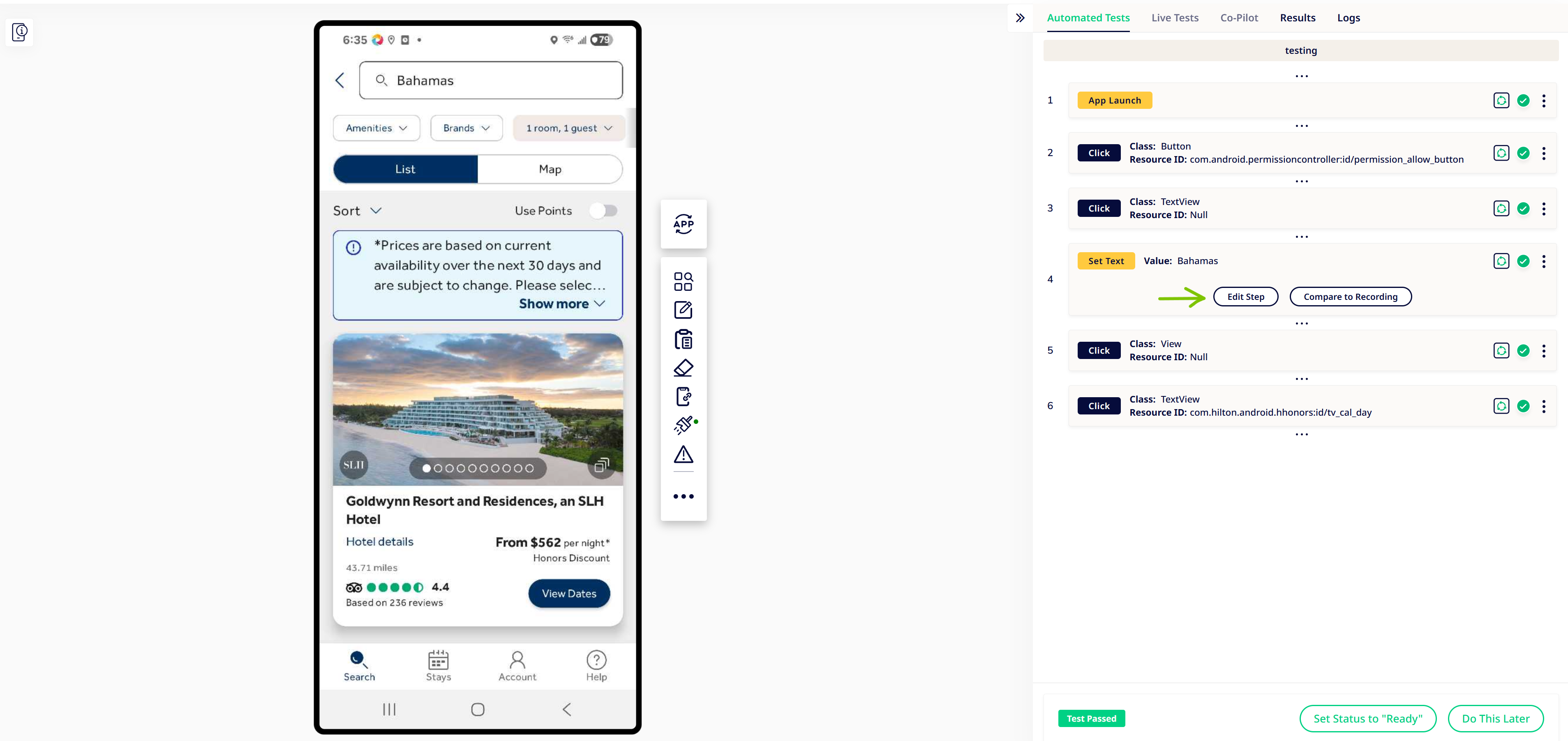
If a step fails or needs adjustment after the test passes, make the required changes directly in Lab with the edit step functionality. In our case, we will edit Step 4 to change "Bahamas" to "Mexico".
- Save the Updated Step
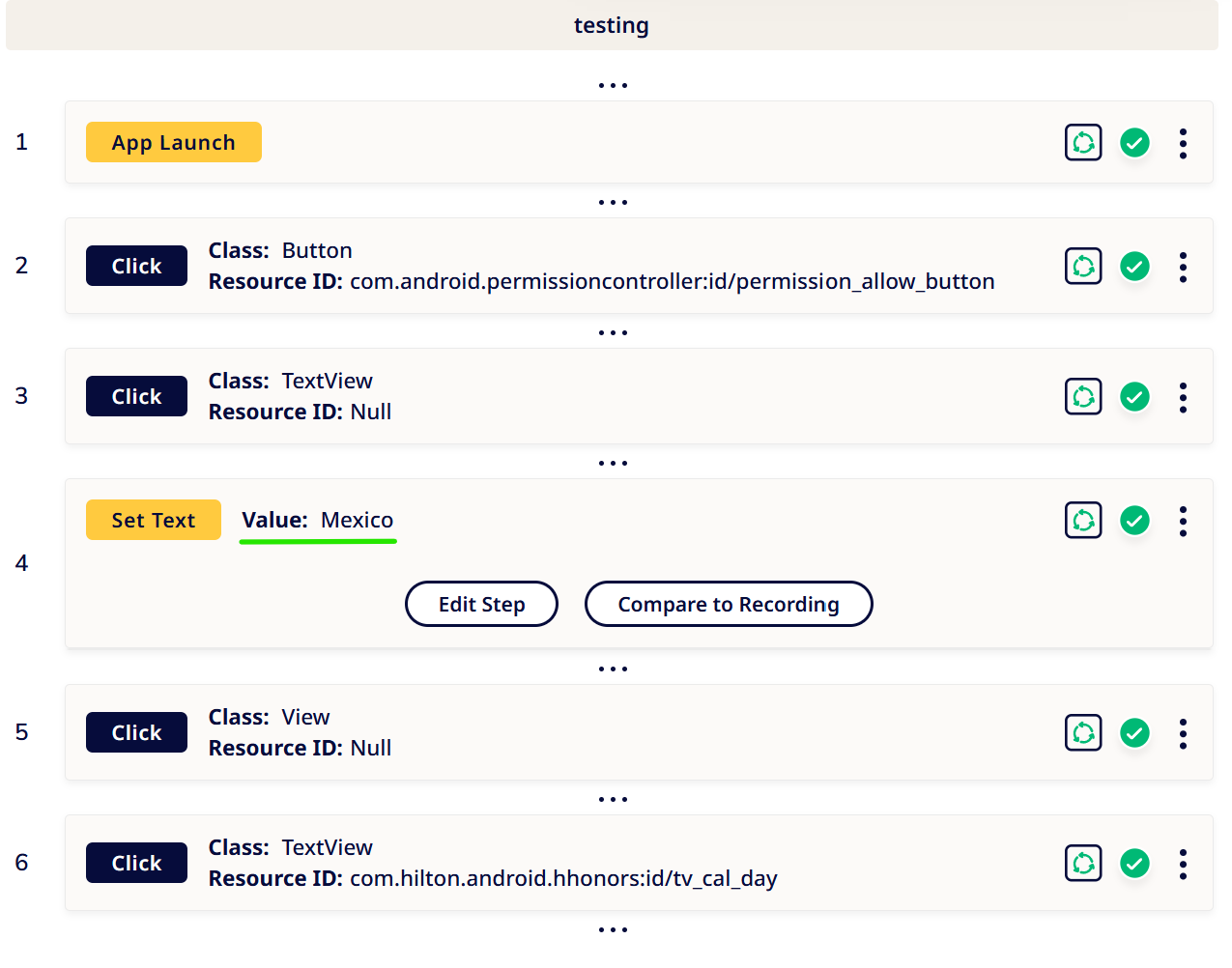
Once your changes are complete, save the step before re-running execution.
- Re-Run From the Desired Step
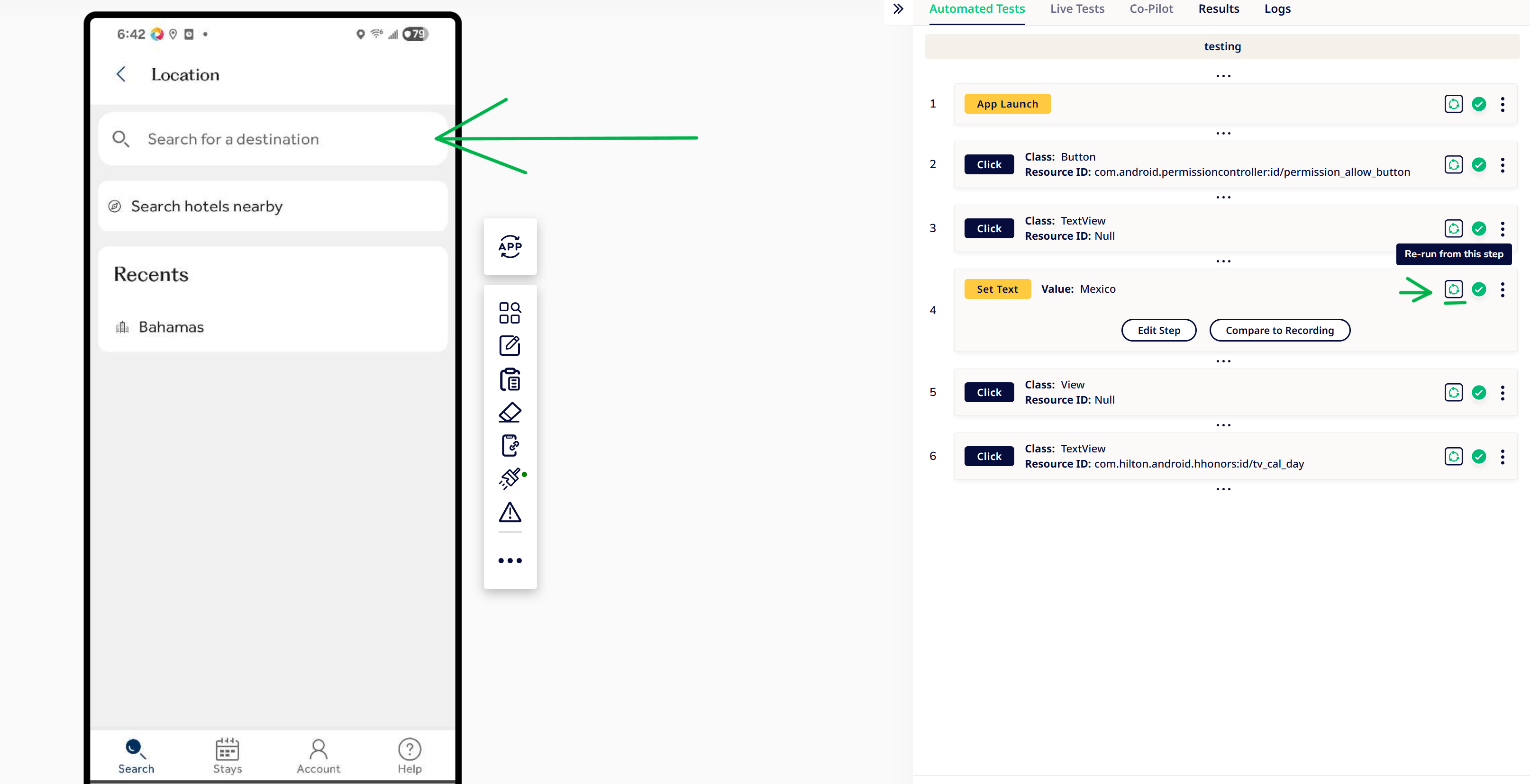
Select the specific step you want execution to resume from instead of restarting from Step 1.

- Validate Faster
Execution will continue from the selected step onward, reducing validation time for long test cases.
Benefits
• Avoid restarting lengthy test cases from the beginning
• Validate fixes significantly faster
• Improve debugging efficiency during Lab validation
• Reduce repetitive execution effort
• Accelerate overall test authoring workflows
