Long Double Press

Double Press is a two-finger long press gesture, useful for apps that require a two-finger hold to trigger an action — for example, bypassing a pairing screen or accessing a hidden menu that a single-finger long press won't trigger.
Performing a Double Press
- Acquire a device from the Device Lab and open your app.
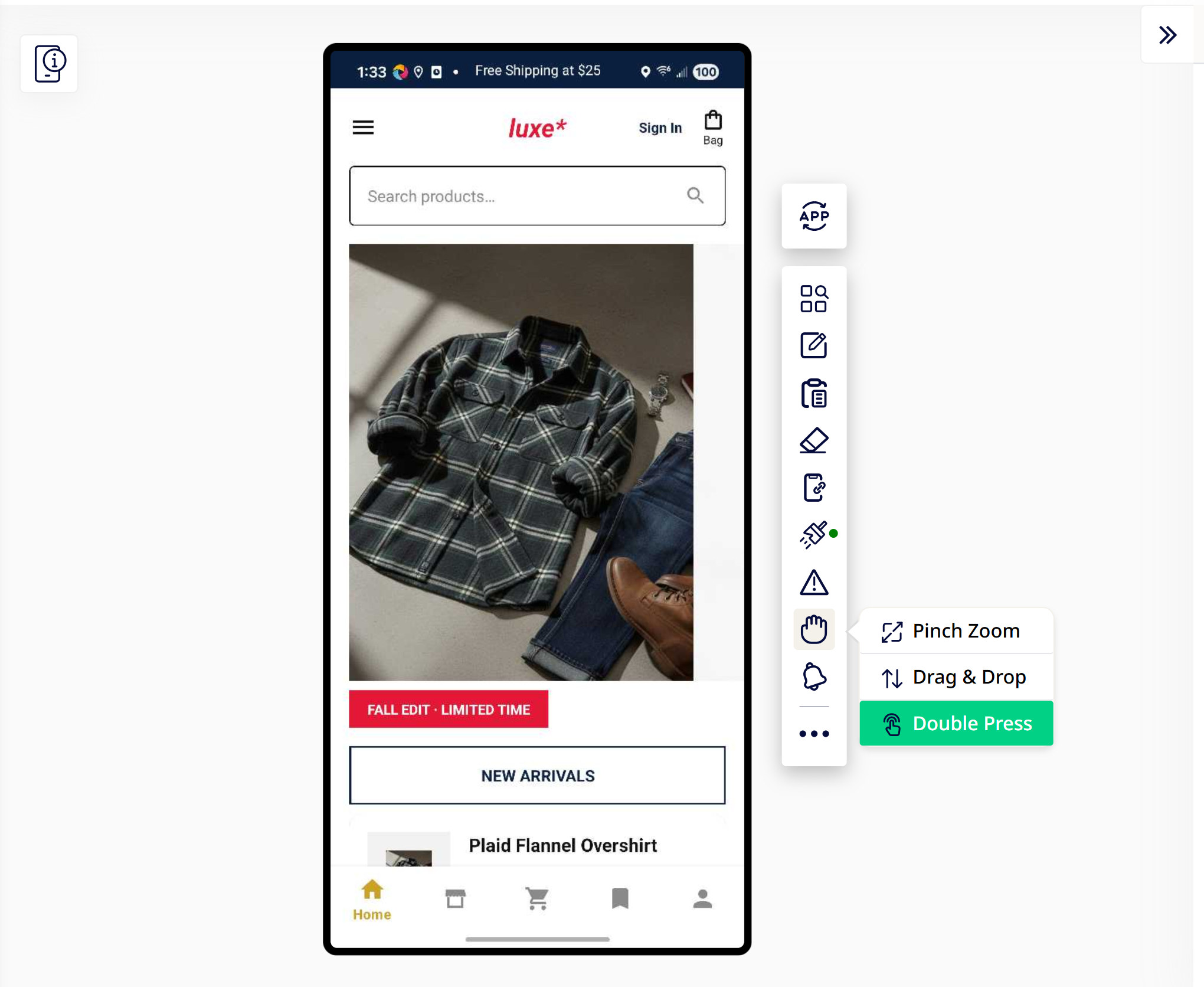
- While recording, open the gesture tool submenu (the hand icon in the action bar) and select Double Press.
- Click the first point on the device screen — this sets where the first simulated finger lands.
- Click the second point — this sets where the second simulated finger lands.
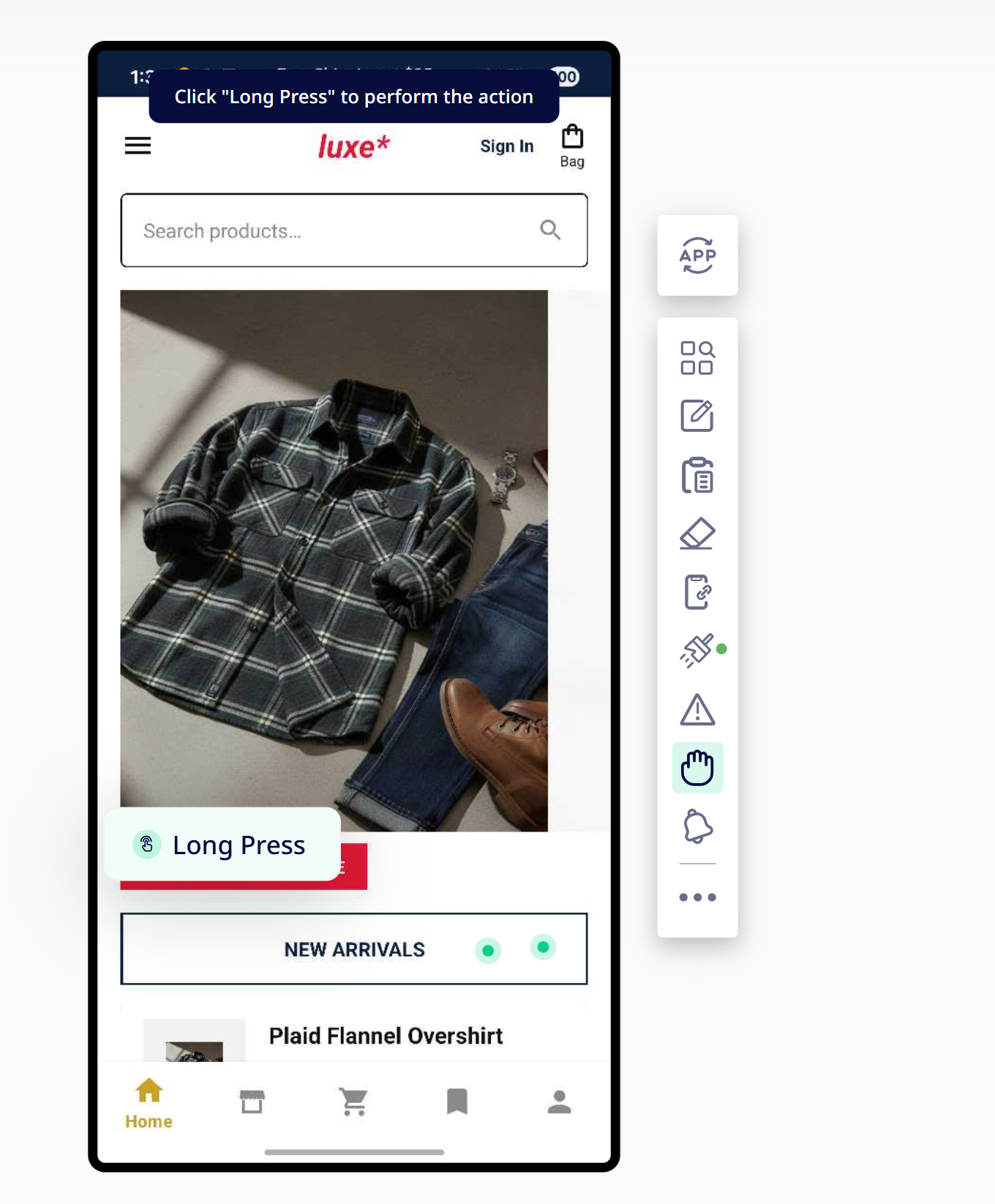
- Click Long Press to perform the gesture. This executes the action on the device and saves it as a step in your test case.
Available on both Android and iOS.
Notes
- The two points you select determine the position of each simulated finger — they don't need to be symmetric around a center point.
