App Intelligence

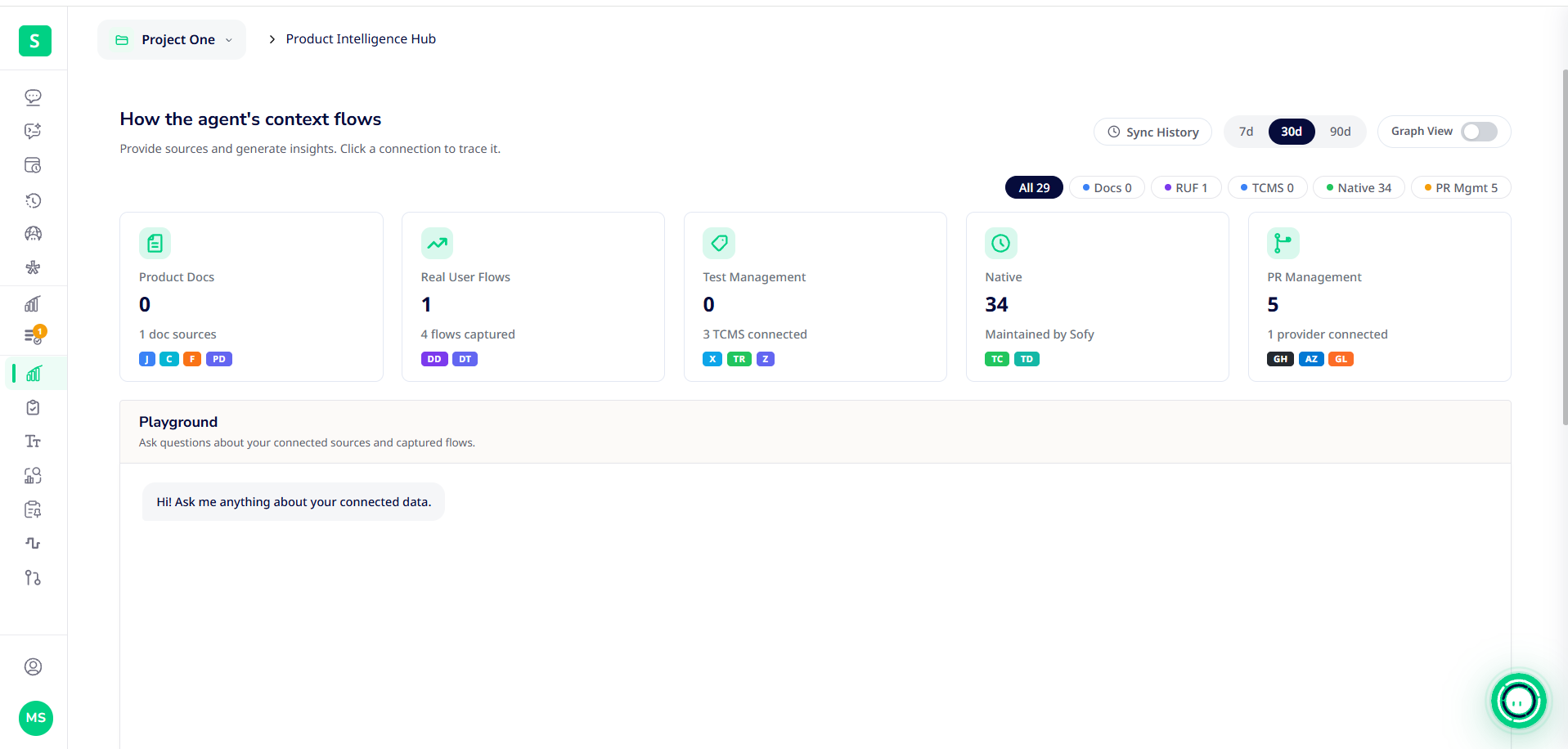
App Intelligence teaches the Web Agent about your product. It learns from your requirements, documentation and real user behavior, so it can write better prompts and answer questions about how your app is used. It's included in the Business and Enterprise plans. In the app, it's the Product Intelligence Hub, under Product Intelligence in the left menu.
What's in Product Intelligence
Page | What it holds |
Hub | A live overview of connected sources, what the agent has learned, and recent sync activity |
Test Cases | Test cases imported from TestRail, Zephyr or X-ray |
Product Docs | Jira tickets, Confluence pages and documents you upload |
Testing Data | Values and variables used in prompts |
Templates | Reusable prompt templates and modules |
Real User Flows | User journeys captured by Datadog or Dynatrace RUM |
Connect your sources
The agent learns only from sources you connect. Open Product Intelligence → Hub and connect one or more:
- Product Docs - Connect Atlassian (Jira and Confluence), or upload documents.
- Real User Flows - Connect Datadog RUM or Dynatrace RUM.
- Test Management - Connect TestRail, Zephyr or X-ray.
- PR Management - Connect GitHub, Azure DevOps or GitLab.
The fields for each source are listed in Connecting Integrations.
Read the Hub
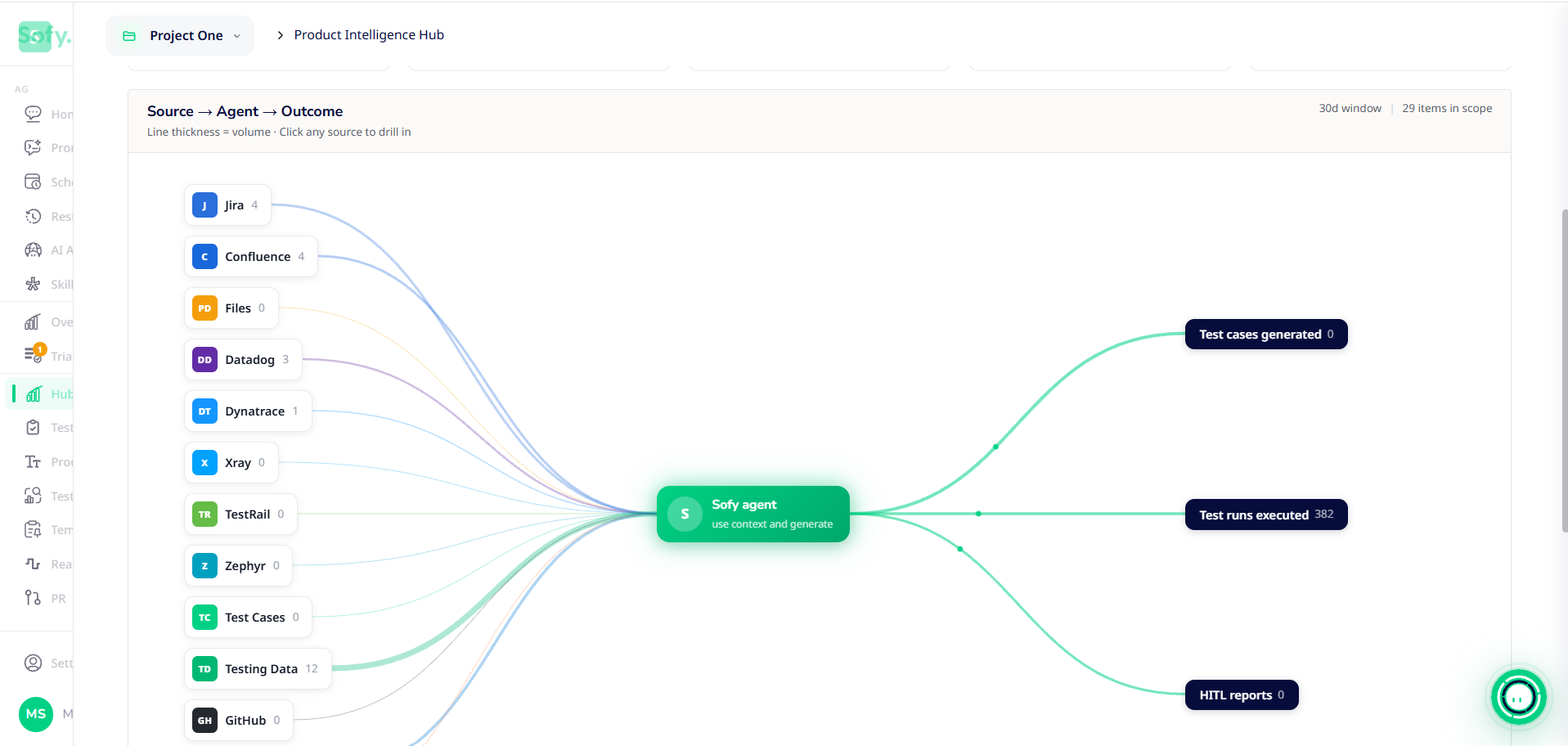
The Hub shows a Source → Agent → Outcome map: what each connected source contributes and what the agent produces from it. Beside the map you'll find:
- Connector stats - How many items each source has supplied.
- Events - Recent activity, such as new tickets or flows captured.
- Sync History - When each source last synced and whether the sync succeeded.
Turn on Graph View (top right) to see the map. Choose 7d,30d or 90d to change the time window, and click any source to drill into it. Below the map, Recent connector events can be filtered by sync, import, capture or fail.
Ask questions in the Playground
The Playground answers questions using your connected sources and captured user flows. Try:
- What are the most common paths users take to checkout?
- Which Jira tickets mention the invoice approval flow?
- Write a test prompt for the password-reset flow described in Confluence.
Answers draw only on what you've connected and synced. If an answer seems out of date, click Sync now in your project's Auto-Sync settings.
Keep it current
Turn on Auto-Sync in Settings → Project to re-import all sources every 6 hours to monthly. See Managing Projects.
