Sofy MCP Server

The Sofy MCP server lets an AI assistant that supports MCP (Model Context Protocol), such as Claude, run Mobile Agent prompts, check results and create No-Code test cases for you. You can also point the assistant at requirements you keep in tools like Confluence and ask it to test them, without pasting links each time.
Connect the Sofy MCP server
- In Sofy, open Account Settings and Navigate to Integration Tab.
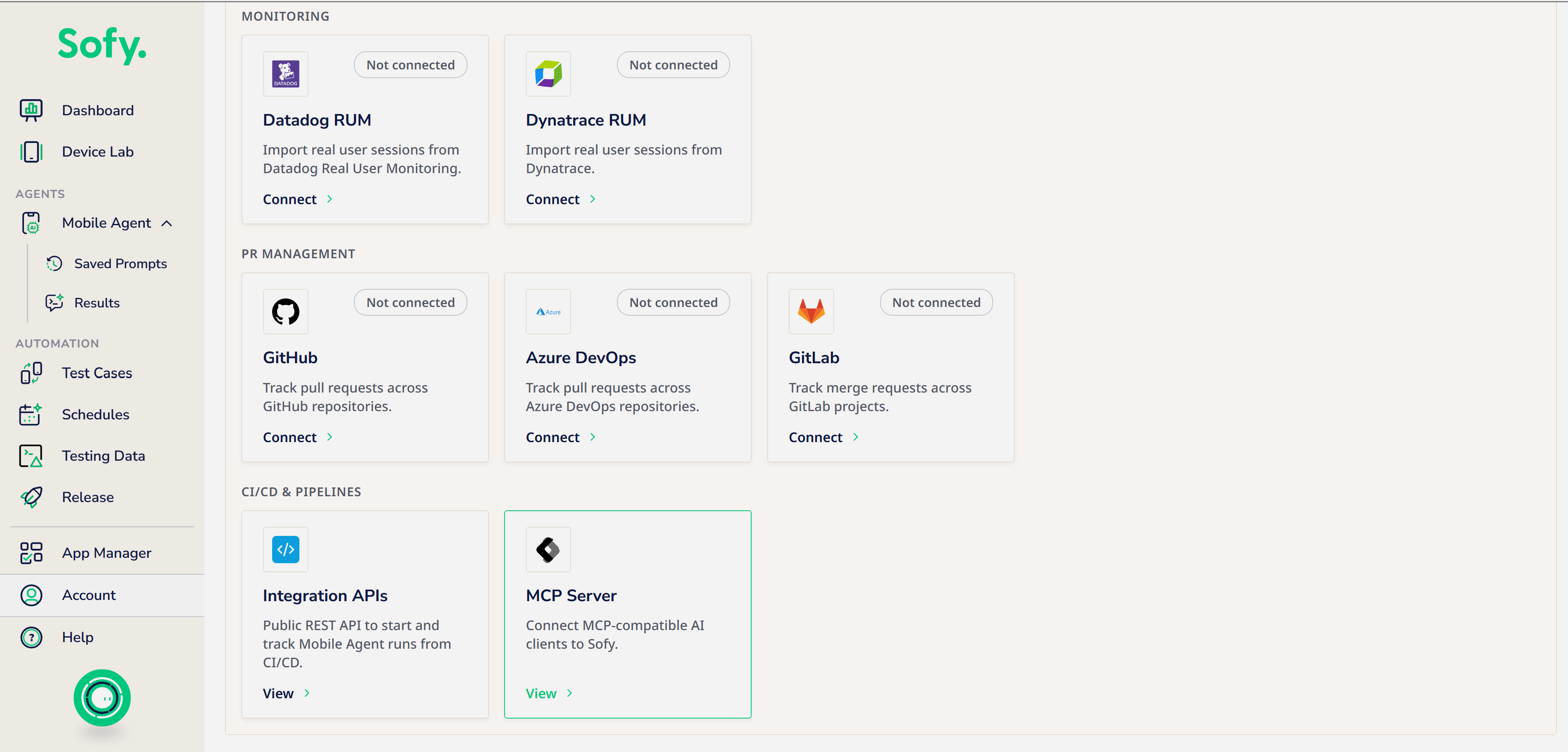
- View the Sofy MCP server card for secure details of MCP key and authorization that you can add to your AI assistant's connector or MCP settings.
- Ask your AI assistant to list your Sofy projects to check the connection.
What you can ask for
Once Sofy MCP is connected, your AI assistant (Claude, Cursor, Copilot and others) can work with your Sofy apps, test cases and schedules for you. You don't need to learn tool names: describe what you want in plain language and the assistant picks the right tool.
💡 The tool list grows with each release. For the current list, ask your assistant: "What Sofy tools do you have, and what can you do with them?"
At a glance
What you can do | Try asking | Tools behind it |
Find your apps and devices | "Which apps do I have in Sofy?" "What Android 16 devices are available?" |
|
Test your app with a prompt | "Sign in to the Luxe app on an iPhone and check the home screen loads." "How did my last run go?" |
|
Turn a run into a test case | "Turn that run into a no-code test case." "Add a check on step 5 that the cart total is shown." |
|
Review and edit test cases | "How many test cases does my iOS app have?" "Change the email in the login template." |
|
Run and manage schedules | "Run my nightly regression schedule." "Is it done? Rerun the failed tests." "Set up a nightly run on two Pixel devices." |
|
Fix failing tests and check impact | "Show me the suggested fix for this failing test." "Which test cases are affected if the login screen changes?" |
|
Good to know
- Some actions use credits. Prompt runs use agent credits or device minutes. Your assistant should check with you before starting one.
- Nothing is published without your OK. Converted test cases stay drafts until you publish them, and suggested fixes are only applied when you approve them.
- Be specific about the app. If you have several builds or brands in one app (for example a debug and a release build), name the package or version so the right build is used.
- Not sure what to ask? Ask your assistant "What can you do with Sofy?" or "Show me an example of each Sofy tool." It always has the latest tool list, including anything added since this page was updated.
